Your Blink cameras, beautifully native on Mac. Browse clips, manage cameras, and know exactly what triggered each alert — whether your clips live in the cloud or on a USB drive — all from your menu bar.
Requires macOS 14.0 or later
Built for Mac
A true native macOS experience — fast, lightweight, and designed to feel like it shipped with your Mac.
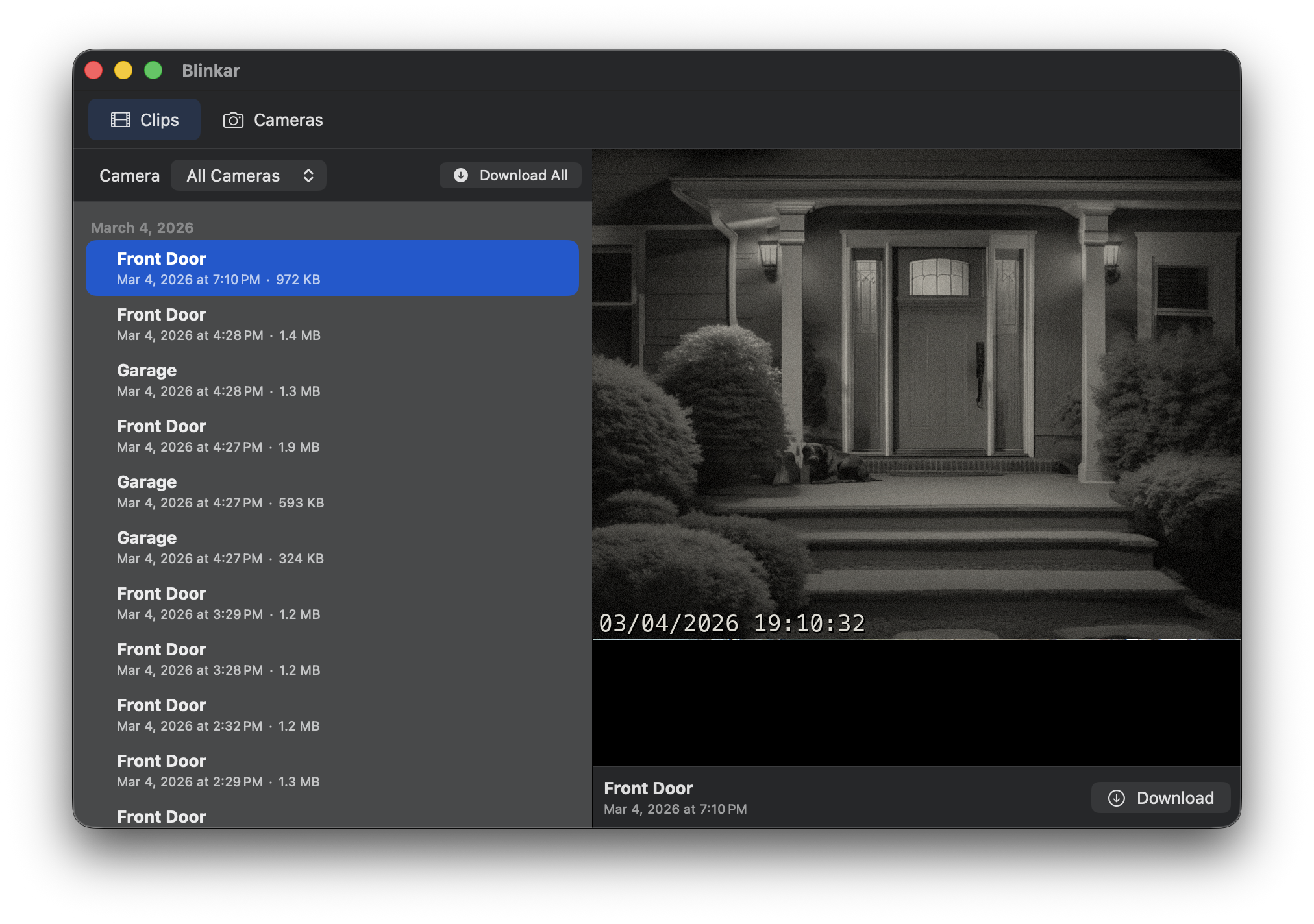
Browse every motion event with detection tags that tell you what was spotted. Filter by Person or Animal to find what matters, organized by camera and timestamp.
Know what triggered the motion — "Person Detected" or "Animal Detected" — right in the notification. Powered by Apple Vision, entirely on-device.
Save individual clips or batch download them all. Smart cache management keeps disk usage in check automatically, so your footage stays accessible without filling your drive.
Using a Sync Module 2 with USB storage? Blinkar works with local clips too — no cloud subscription required. Clips download on demand with a progress indicator.
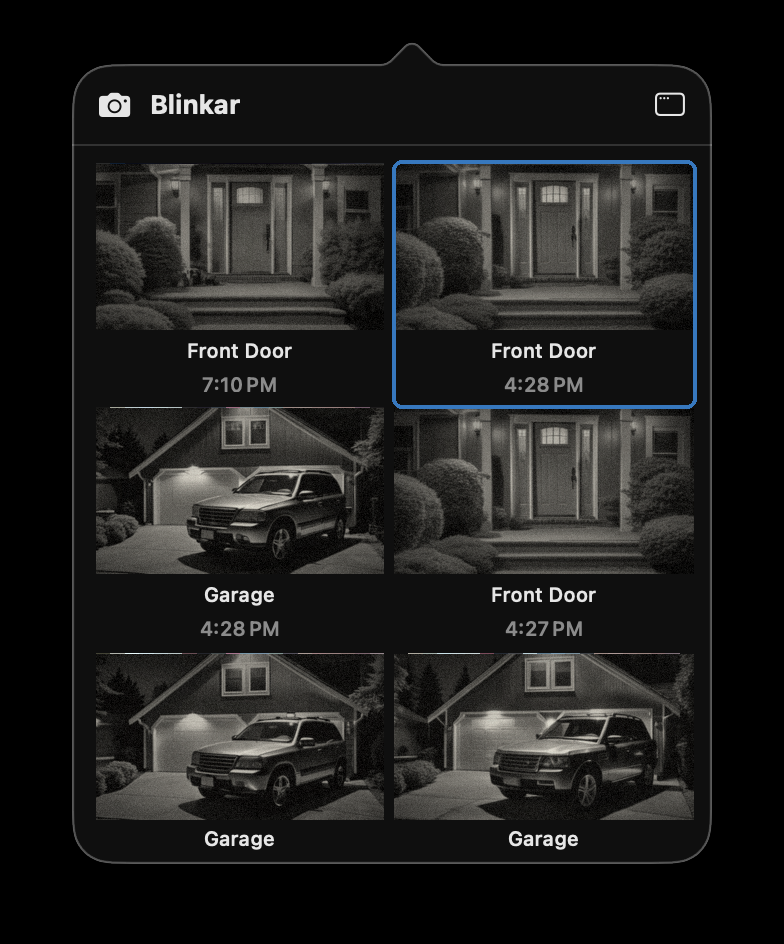
See your latest motion snapshots at a glance, with detection labels on each thumbnail. A beautiful grid of recent clips lives right in your menu bar — always one click away.
Built with Swift, SwiftUI, and Apple Vision. No Electron, no web views, no cloud processing. Everything runs privately on your Mac.
Clips
Browse through all your motion events in a clean, chronological timeline. Each clip is tagged with what triggered it — person, animal, or motion — so you can see what matters at a glance.
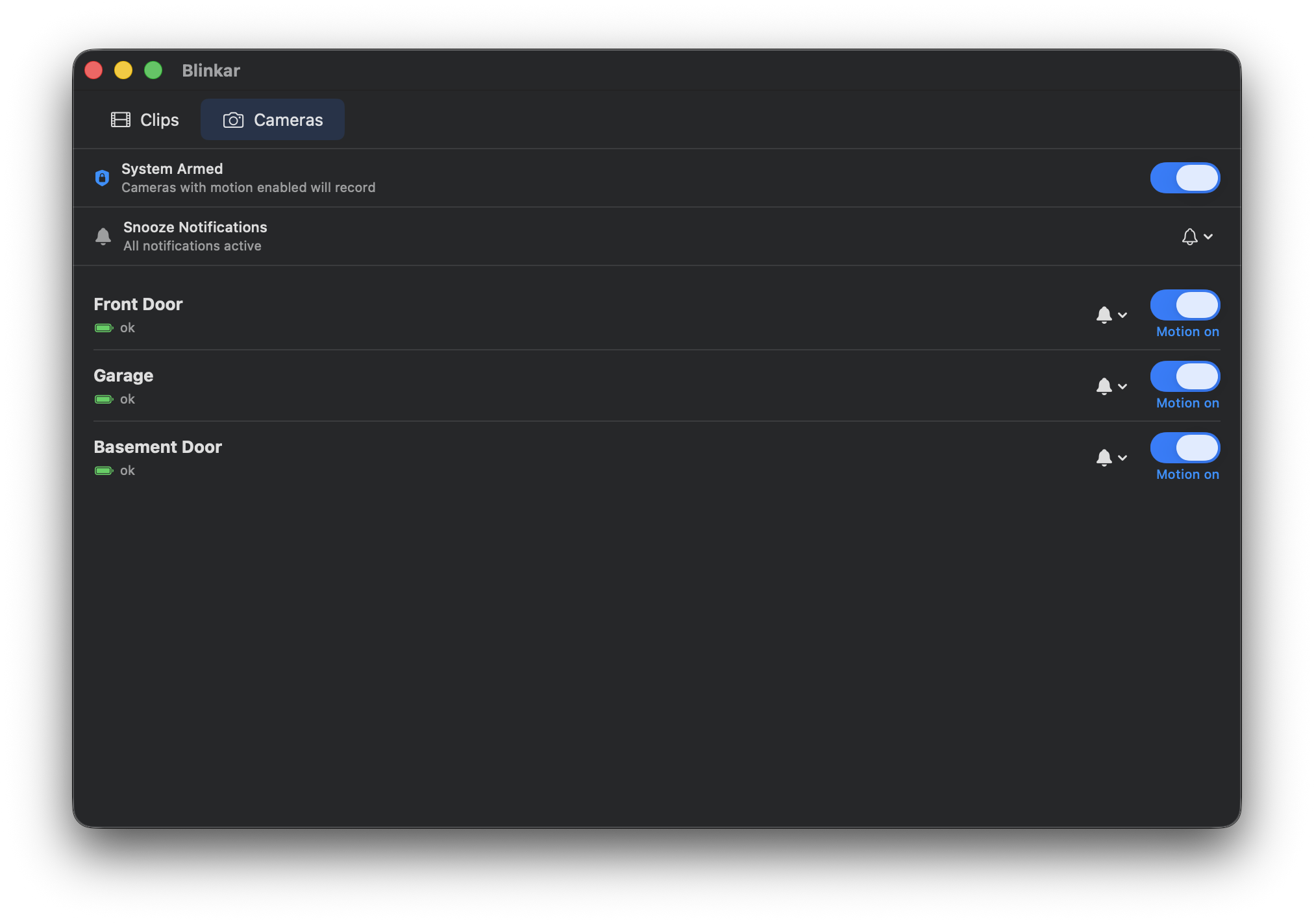
Cameras
Arm or disarm your entire system with a single toggle. Manage motion detection per camera, see connection status at a glance, and choose between cloud or local USB storage — all in one place.
The Mac app your Blink cameras have been waiting for. Download now and take control.
Requires macOS 14.0 Sonoma or later